New Features
File Manager
To move away from legacy email job reporting, CoolSim 5.3 introduces the File Manager. The new system provides both grid and list view options with filtering capabilities, allowing users to sort by date ranges, model types (external/internal flow), and completed/failed.
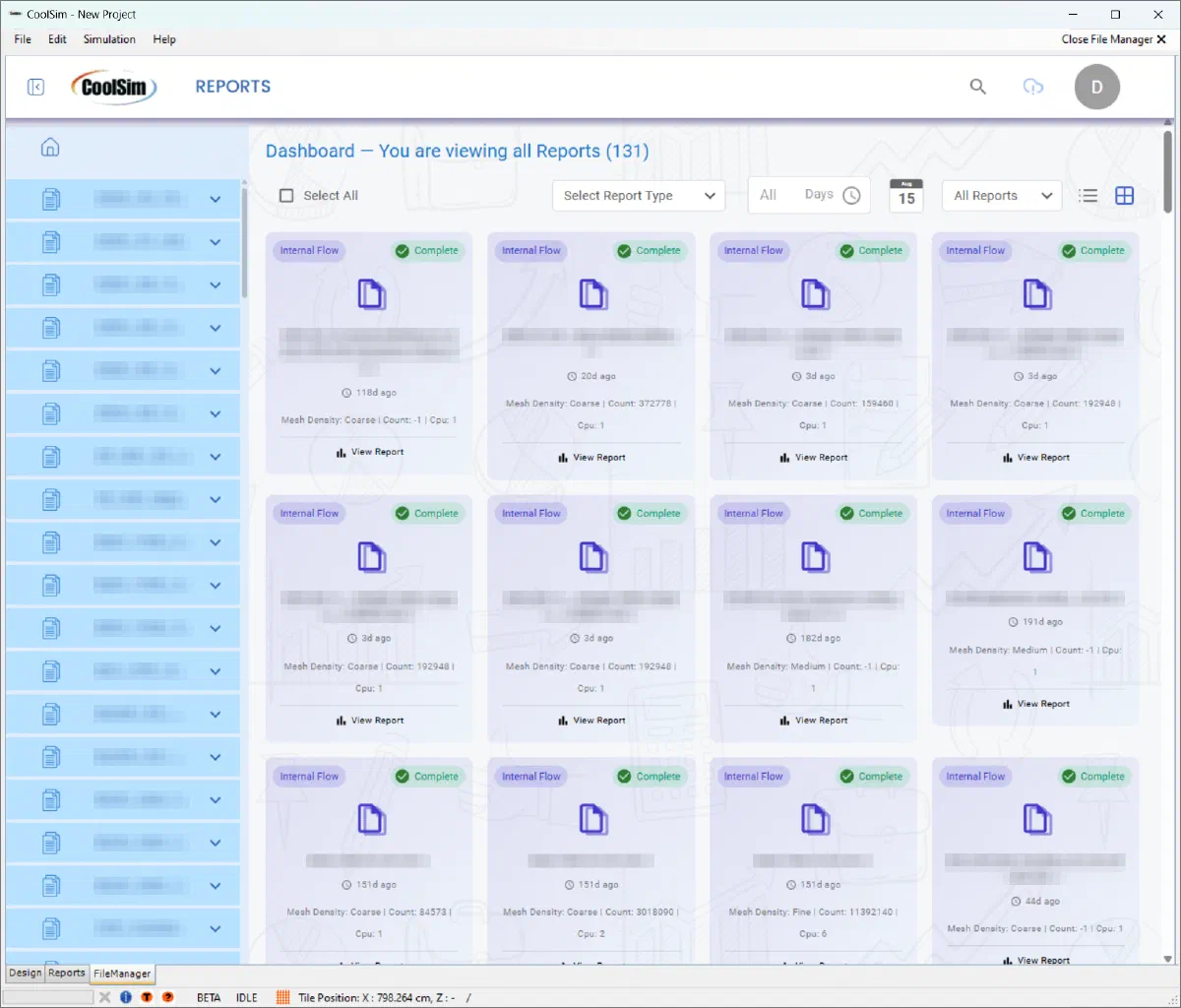
Grid view of the CoolSim File Manager
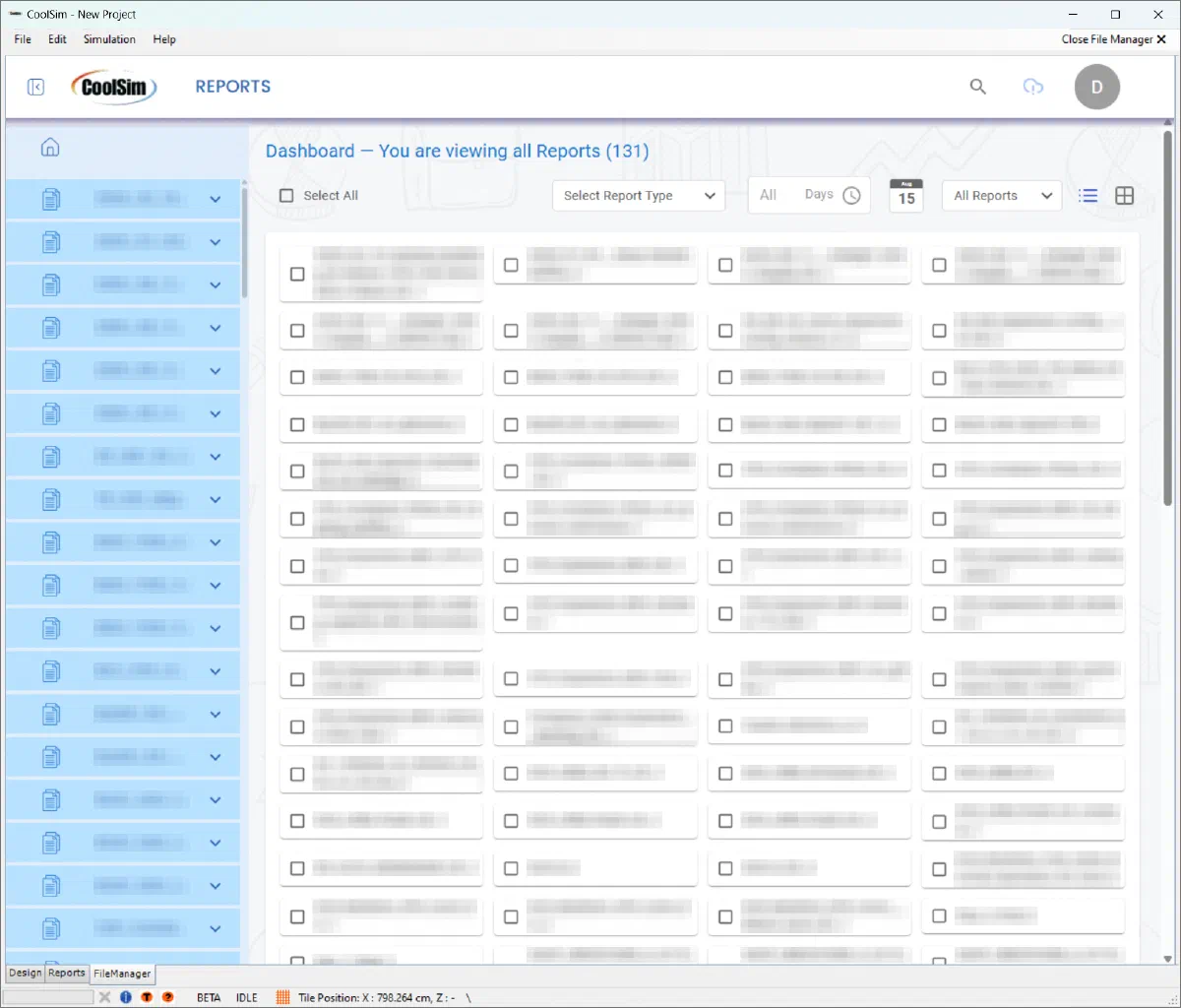
List view of the CoolSim File Manager
Related metadata including mesh density setting, mesh cell count, and number of CPUs used are visible for each job submission.
The sidebar provides access to output reports, model files, and log output for each job submission.
Users now can manage their data directly with the ability to delete job directories on-demand.
Liquid Cooling Integration
As data centers evolve toward higher densities, hybrid cooling strategies are becoming more prevalent. CoolSim 5.3 introduces percentage heat rejection to account for liquid cooling systems alongside traditional air cooling.
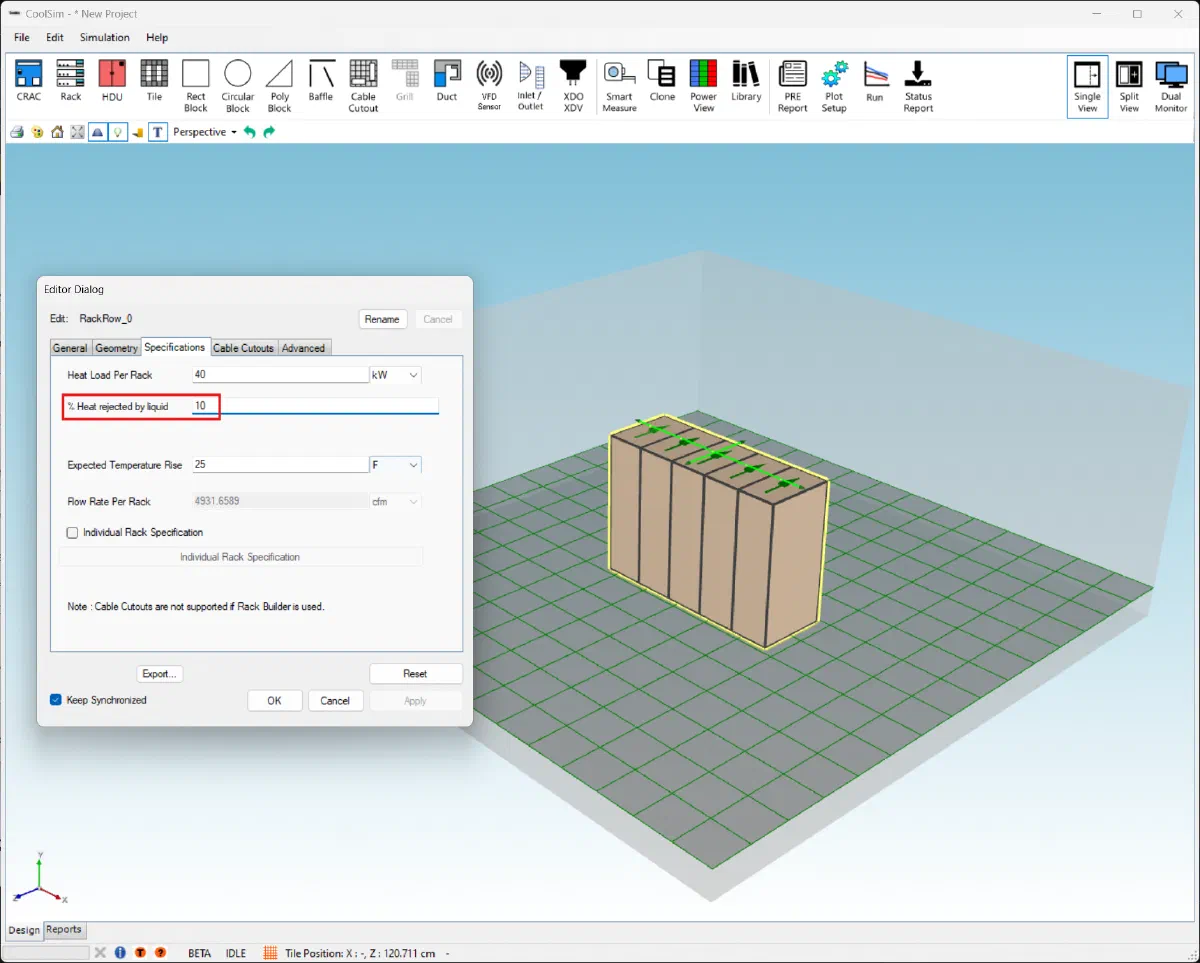
Specify the percentage of heat removed by liquid cooling
Each rack’s airflow is sized for the heat left in the air, and the output report breaks down the heat rejected by liquid and the remaining heat load handled by air cooling. CoolSim simulates the room’s air side; the coolant loop itself (CDUs, pipework, facility water) is not simulated. Liquid-Cooled Racks shows how to enter direct-to-chip cold plates, rear-door heat exchangers, CDUs and immersion tanks.
This capability directly addresses the industry’s shift toward supporting AI workloads and high-performance computing applications.
Validated Ceiling Leakage Modeling
Real-world performance validation becomes critical as energy efficiency requirements tighten. CoolSim 5.3 introduces a ceiling leakage function correlated to test data provided by Armstrong Ceilings, providing engineers with empirically-backed modeling of actual plenum conditions.
Improvements
Rack Object Spacing
The rack object spacing feature improves both modeling capabilities and client performance. By default, CoolSim’s rack row object does not have a gap between individual racks:
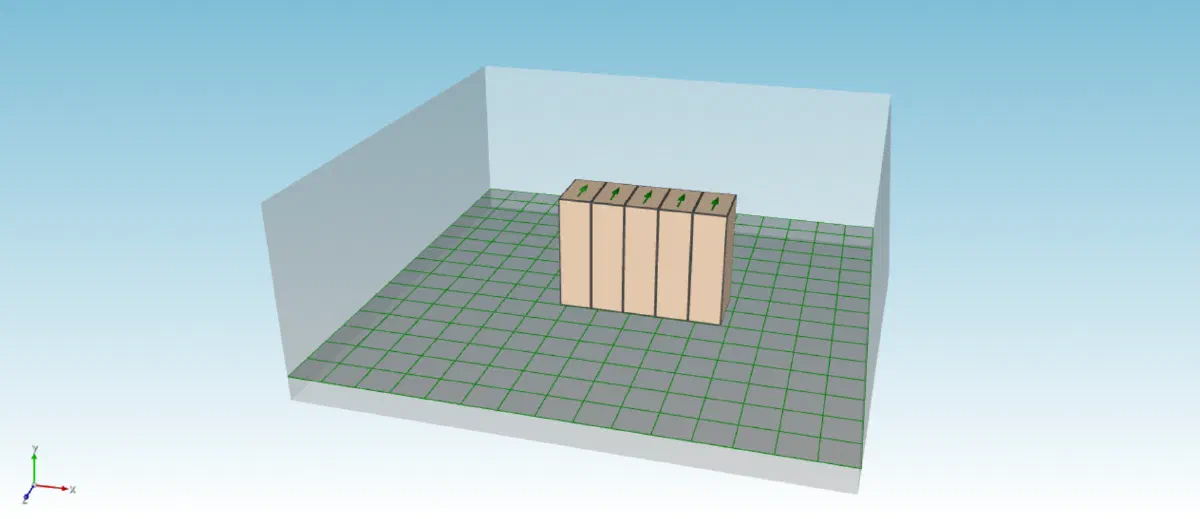
Default CoolSim rack row object
Users aiming to model rack leakage with greater detail are recommended to add a gap between each rack, which required multiple rack row objects consisting of only one rack:
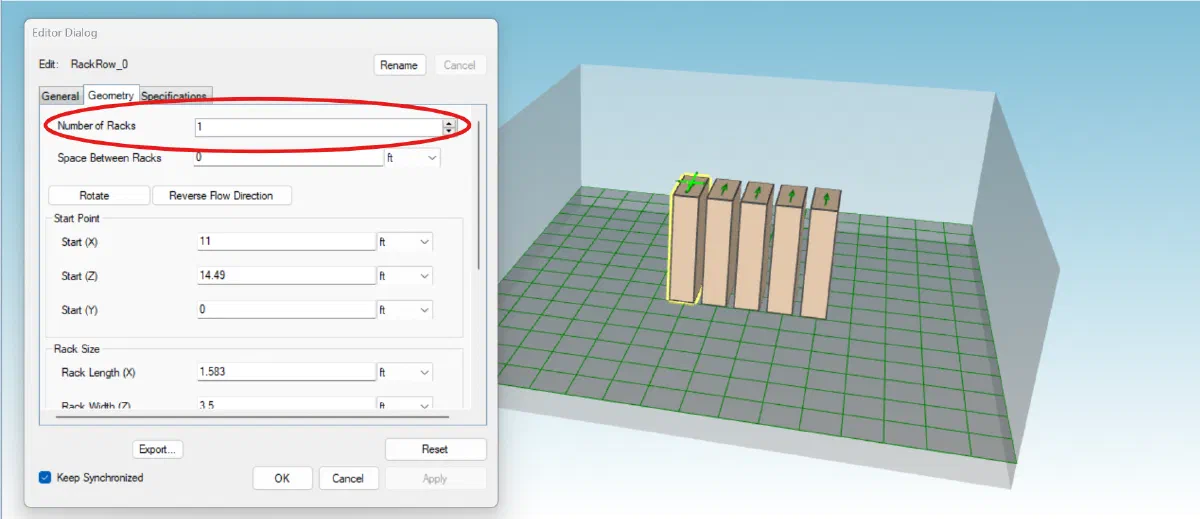
Multiple rack row objects spaced out
Using multiple rack row objects is a tedious user experience and adds unnecessary weight to the model, degrading the client’s performance and increasing model load times.
To address these concerns, a spacing value was added to the rack row object:
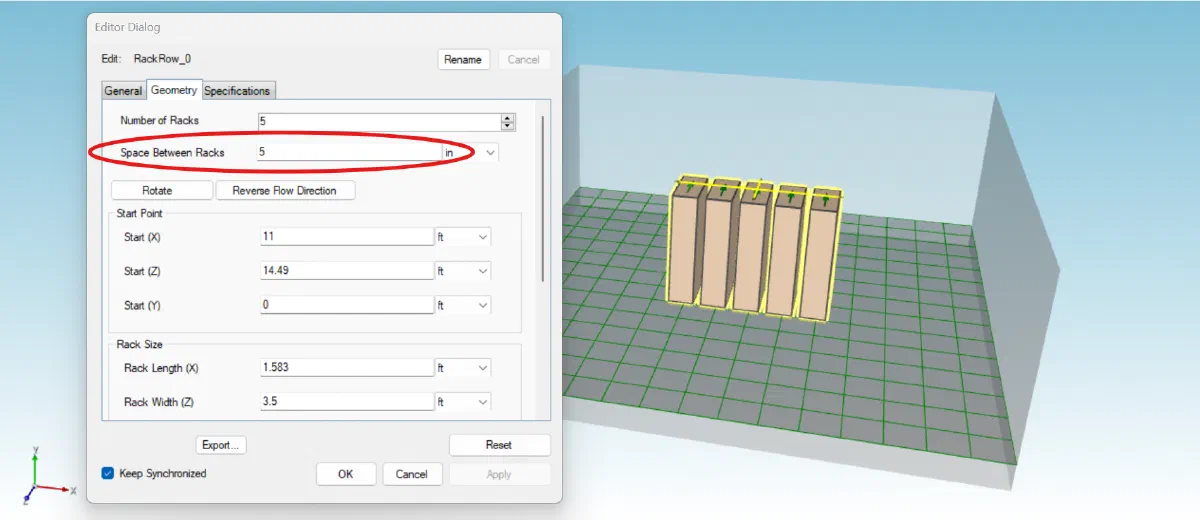
Rack row object with spacing value
Models with a large number of racks (>400) can expect load times to be reduced by a factor of 1.5 to 3 times.
CRAC Plenum Extension with Turning Vane
To allow modeling of room supply, ceiling return designs without a floor plenum, downflow CRAC units now can use plenum extensions with turning vanes.
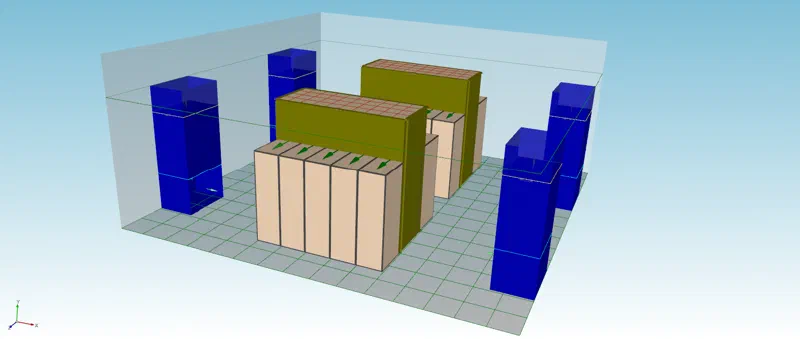
Data center model using CRAC units with turning vanes and plenum extensions
Planar Irregular Polygons
To address modeling of planar blocks such as slanted ceilings for internal models, and rooftops for external models, a “Plane” parameter has been added to the irregular polygon block.
Post-Processing
- Ability to place contour planes in the ceiling plenum
- When customizing post-processing, contour plane visibility is toggled off when finished with customization
Bug Fixes
User Interface
- Resolved a start-up issue that disabled the ceiling grille icon when adding a ceiling plenum to the model
Accessibility
- Fixed a localization issue with the decimal/thousands separator affecting users in certain geographic regions
For technical support and training on new features, contact support@coolsimsoftware.com. Detailed documentation and tutorial resources are available through the CoolSim user portal.